

Why Create a Mix?
You’ve built a Lemonade that works perfectly. Now what? A Mix is how you share it with the world - whether that’s adding it to your website, selling subscriptions, or connecting it as a team tool. Think of it as taking your Lemonade off the shelf and putting it somewhere people can actually use it, with your branding front and center.What is a Mix?
When you’re ready to share your Lemonade with the world, you create a Mix. Think of it as packaging your Lemonade with your branding - ready to embed on your website or sell to customers. A Mix lets you:- Add it as a Chatbot on your website
- Monetize it by selling subscriptions
- Connect it as a Team tool
Accessing Mixes
Click Mixes in the top navigation bar to see all your Mixes.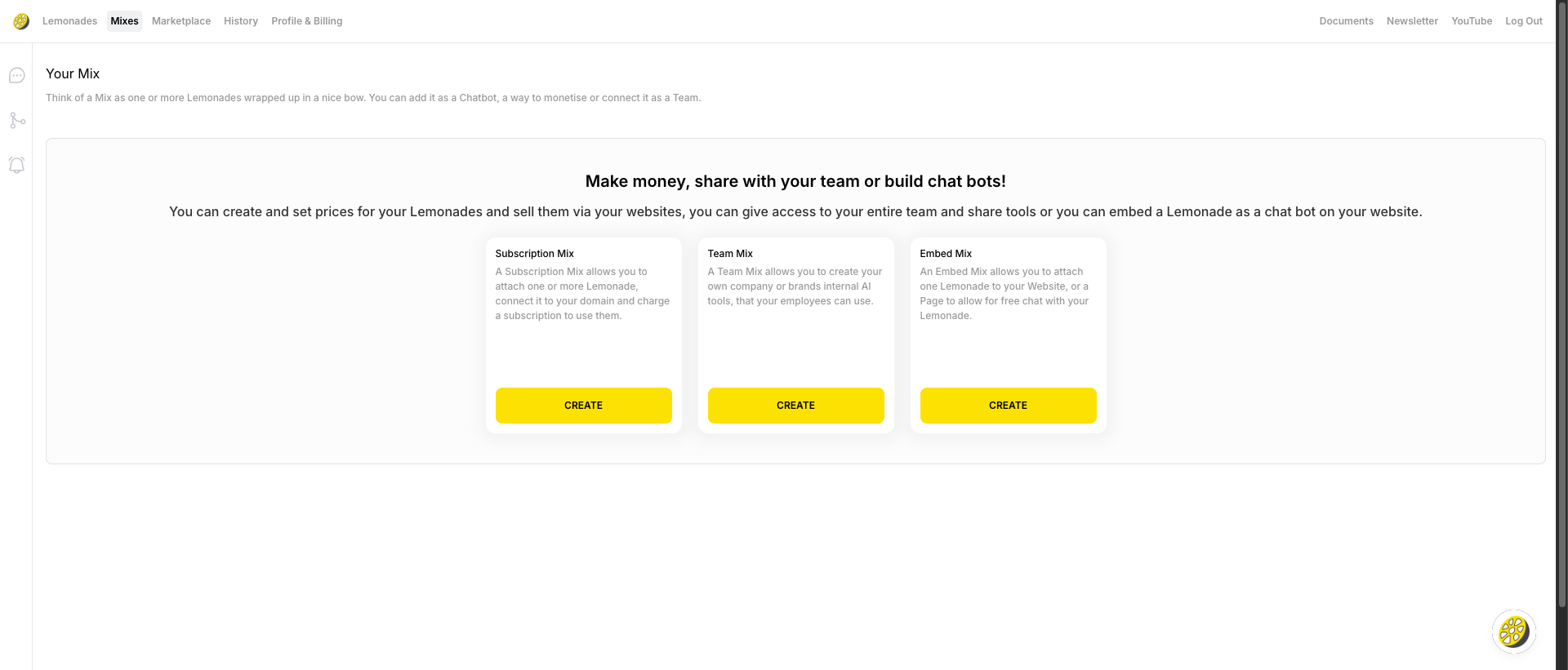
- Mix name and type (e.g., “Business Mix”)
- Number of chats
- Upgrade and Edit buttons
Creating a Mix
From the Mixes Page
1
Go to Mixes
Click Mixes in the top navigation
2
Click Create Mix
Click the ”+ CREATE MIX” button in the top right
3
Configure Your Mix
Follow the setup wizard to configure branding and select Lemonades
From a Lemonade’s Deploy Tab
1
Open Your Lemonade
Click on any Lemonade to open the editor
2
Go to Deploy Tab
Click the Deploy tab
3
Choose Mix Type
Click either:
- “CREATE EMBED MIX” for website chatbots
- “CREATE SUBSCRIPTION MIX” for monetization
Mix Types
Embed Mix (Website Chatbot)
Deploy your Lemonade as a chat widget on your website. Features:- Embed on a single page or all pages
- Custom branding and colors
- Works on any website
Subscription Mix (Sell Access)
Sell access to your Lemonade on your own domain. Features:- Deploy to your custom domain
- Charge monthly or yearly subscriptions
- Test before going live
Editing a Mix
Click the Edit button next to any Mix to:- Change the Mix name
- Update branding (colors, logo)
- Modify which Lemonades are included
- Get the embed code
- Configure subscription settings
Getting Your Embed Code
Once you’ve created an Embed Mix:1
Open Mix Settings
Click Edit on your Mix
2
Copy Embed Code
Find the embed code section and copy the provided snippet
3
Add to Website
Paste the code into your website’s HTML, typically before the closing
</body> tagDeploying Without a Mix (Email)
Don’t need a website widget? You can deploy directly via email:1
Open Your Lemonade
Go to any Lemonade and click the Deploy tab
2
Set Up Email
In the “Deploy as an Employee via Email” section:
- Add a custom email address (ends with @ai.launchlemonade.app)
- Click COPY EMAIL, SAVE TO GMAIL, or SAVE TO OUTLOOK
3
Start Emailing
Send emails from your registered email address to your Lemonade’s email
For security, only emails from your registered email address will work.
Mix vs Deploy Options Comparison
Pro Tips for Your Mix
Test first! Chat with your Lemonade a few times before going live. Try weird questions - your future users will! Match your brand - Choose colors and logos that blend seamlessly with your site. Nobody should be able to tell it’s not built into your site. Polish your instructions - Remember, users will interact with your Lemonade directly. Make sure your system prompt is clear and helpful. Watch your usage - Check the chat count on your Mixes regularly to understand how people are using it.Upgrading a Mix
Click the Upgrade button next to any Mix to:- Unlock premium features
- Increase usage limits
- Access advanced customization
What’s Next?
Watch Tutorial
Learn how to monetize your Lemonades
Contact Support
Get help with Mix setup